Preparation record
- Digital print job
- Artwork versions and job settings can be considered on the sheet.
- Offset print job
- Plates, preparation and press queues can form separate stages.
Development on request
Print Shop & Commercial PrintingCompare estimated consumption with actual printing and finishing records. We will plan the software we will build for your print business around a connected flow of job orders, artwork approvals, machine queues and subcontract deliveries.
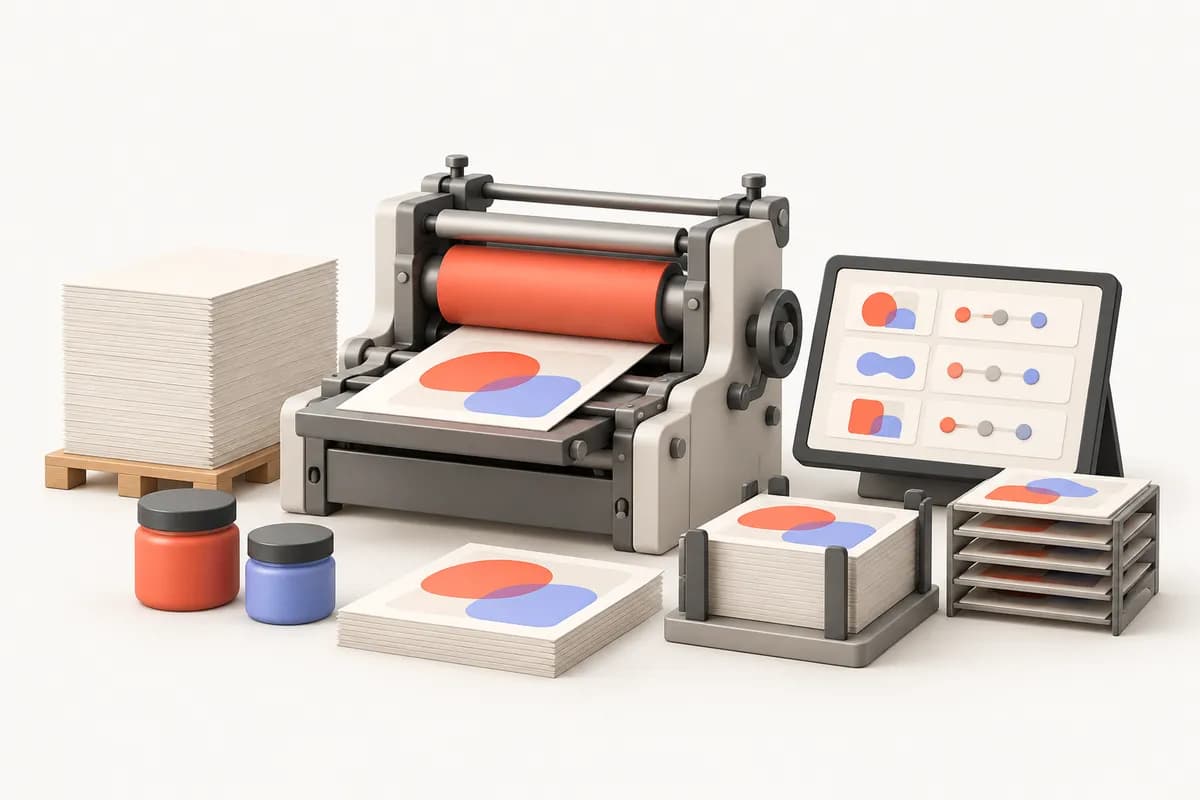
Assess cost changes through stage records when a job ends. Paper used for make-ready, finishing waste and subcontract charges are hard to trace back to the quotation when held separately. Sales may promise delivery without seeing the actual press queue or subcontract status. We will link quotation items to job orders and consumables to the same job's stages. Your definitions will determine which prices and machine hours inform costing.
Let us work through how a job enters production at your print business. Approved artwork versions matter as much as paper type, weight and size. Compare these steps with your existing job sheet to select required job-order fields.
Your paper, plate, machine-hour, labour and subcontract items can inform quotation costing. Accepted run quantities and print specifications can be scoped for transfer to the job order.
Plan to link customer approval to the relevant artwork version. Machine allocation and prepress status will follow your selected checks before production.
Cutting, folding, binding and packing transitions can be recorded. Once subcontract dispatches and returns are complete, the project can include a summary comparing actual consumption with quoted items.
Let us keep job status and cost inputs clear in the first release. Collecting detailed data from every machine differs from having operators record stage transitions. Together, we will use your frequent job types to distinguish the initial sheet from fields to expand later.
Linking a quotation to an approved job order may be common to different production routes. Digital work may use a short production sequence, while offset work needs plate and make-ready stages. When a job uses both routes, we will discuss how its cost and delivery are divided. This comparison helps select stage and consumable fields for the software we will build.
| Distinguish digital runs and offset preparation within one job structure | Digital print job | Offset print job |
|---|---|---|
| Preparation record | Artwork versions and job settings can be considered on the sheet. | Plates, preparation and press queues can form separate stages. |
| Consumption calculation | Paper and other inputs defined for the job can be tracked. | Paper, plates and make-ready waste can have separate items. |
| Finishing operations | Required cutting and binding steps can be selected. | Finishing and subcontract returns can link to the job order. |
Treat production-sheet and cost-table access as separate needs. Operators need the right artwork and run quantity but may not need to change selling prices. The software we will build will scope who revises job orders and the history of changed fields.
Operators can record stage transitions, quantities used and waste. Finishing teams can see their operation details while quotation margins require separate permission.
Quotation preparation and recording customer artwork approval can be separate duties. Management access to actual-cost reports is distinct from customer-facing status information.
KVKK, Turkey's personal data protection law, and retention needs will be considered for customer contact fields; your business is the data controller. Discovery will also determine who can download artwork and access older versions.
Identify which job new artwork affects before deciding to continue printing. If a customer changes text after approving a proof, the earlier approval should not automatically carry over. We can link revision requests, artwork versions and renewed approval. If paper is allocated or printing has begun, used consumables can remain with the original job while new requirements are assessed separately. Your authorised team will decide additional costs and delivery changes; records can link that decision to the job order.
Let us examine whether old quotation tables and production sheets use the same terms for cost items. We will match paper weights, sizes, run quantities and subcontract names using samples without personal information. You can prioritise continuity for open jobs before bringing over every historical file.
Define paper price units, machine hours and subcontract-charge sources separately. Mapping different codes for the same paper and your verification can be included.
Compare quotation, allocated paper, print status and outstanding subcontract movements for one job in a sample transfer. This check can clarify which historical data to carry over.
Check machine data fields and software versions. Without technical access, barcode or operator entry can be chosen; accounting transfers will depend on your own provider's conditions.
We will design how job-order information passes between sales, production and delivery. The service and article below can help identify repeated entries and approval points in your print business. Fields specific to your printing methods will emerge from your own examples during discovery.
Prepare anonymised examples of a quotation, paper consumption list and artwork approval record. Mark information that changes during printing and finishing on the same job. We can then choose the required costing detail around a real production route.
The development proposal will reflect job-order fields, stock detail, approval rules and selected connections. Subscription use and support scope will be defined separately in the contract.
We do not sell an off-the-shelf package: we design the software around your workflow, build the first version in short steps and keep running it after launch.
We listen to how your business works, your team and the tools you use today.
Modules, priorities and price are set out in a written quote.
We show working versions at short intervals and move on with your feedback.
We move your existing records across and help your team get started.
We run the software on a subscription and keep it up to date and secure.
No. You define the paper, machine hour, labour and outwork lines, and the software calculates the cost from them. You set the quote price with your own margin. The aim is not to price for you but to show the cost accurately.
Some modern presses exchange job data using standards such as JDF/JMF; a connection depends on the machine and its software version and is scoped per project. Without one, stage transitions are entered by the operator, either by scanning a barcode or on screen.
Not on its own. Waste depends on make-ready, operator experience and paper quality. The software measures waste and shows which job and which stage it came from. Measured waste can then be reflected in your costings.
This can be part of the scope. The two production routes use different stage flows but can share the same job card structure, so a short-run digital job and a long-run offset job appear on the same board.
Artwork versions and the customer's approval can be linked to the job card. A rule that unapproved artwork cannot go to press can be defined as part of the scope.
This can be added to the scope if you want it: a customer can be given a screen showing only which stage their job is at and the planned delivery date. Cost and waste information is not shared with customers.
These records describe quantities arising at different stages. We can distinguish waste reasons and stages in the project so you can assess which historical records should inform quotation calculations.
The scope can include a new artwork version awaiting approval and a separately marked queue status. Continuing started production or preparing again will follow permissions and rules selected by your team.
After a discovery meeting we prepare a written quote covering the scope, the modules and the setup work. The software is provided on a monthly or annual subscription.
In our standard model the software is provided on a subscription and the source code is not transferred. If you need a different model, it is agreed in a separate written contract.
We build and operate the software. The business using it is responsible for how it is used, the data entered and the content published; the details are set out in the service agreement.
Textile & Garment Manufacturing
Software we build on request for textile and garment manufacturers: colour and size breakdowns, stage tracking from cutting to packing, subcontract units, fabric and waste records.
ViewCatering and Central Kitchens
We build software around your kitchen that follows the flow from site headcounts to production orders, and from recipes to allergen and temperature records.
ViewConstruction & Contracting
Software we build on request for contractors: subcontracts, site measurement with photos, interim valuations, deductions and guarantee letters, all kept in one record.
ViewShare your job sheet and cost items so we can prepare development scope for your print business.