Row-level security
PostgreSQL RLS policies enforce company scope; application transactions also check company context.
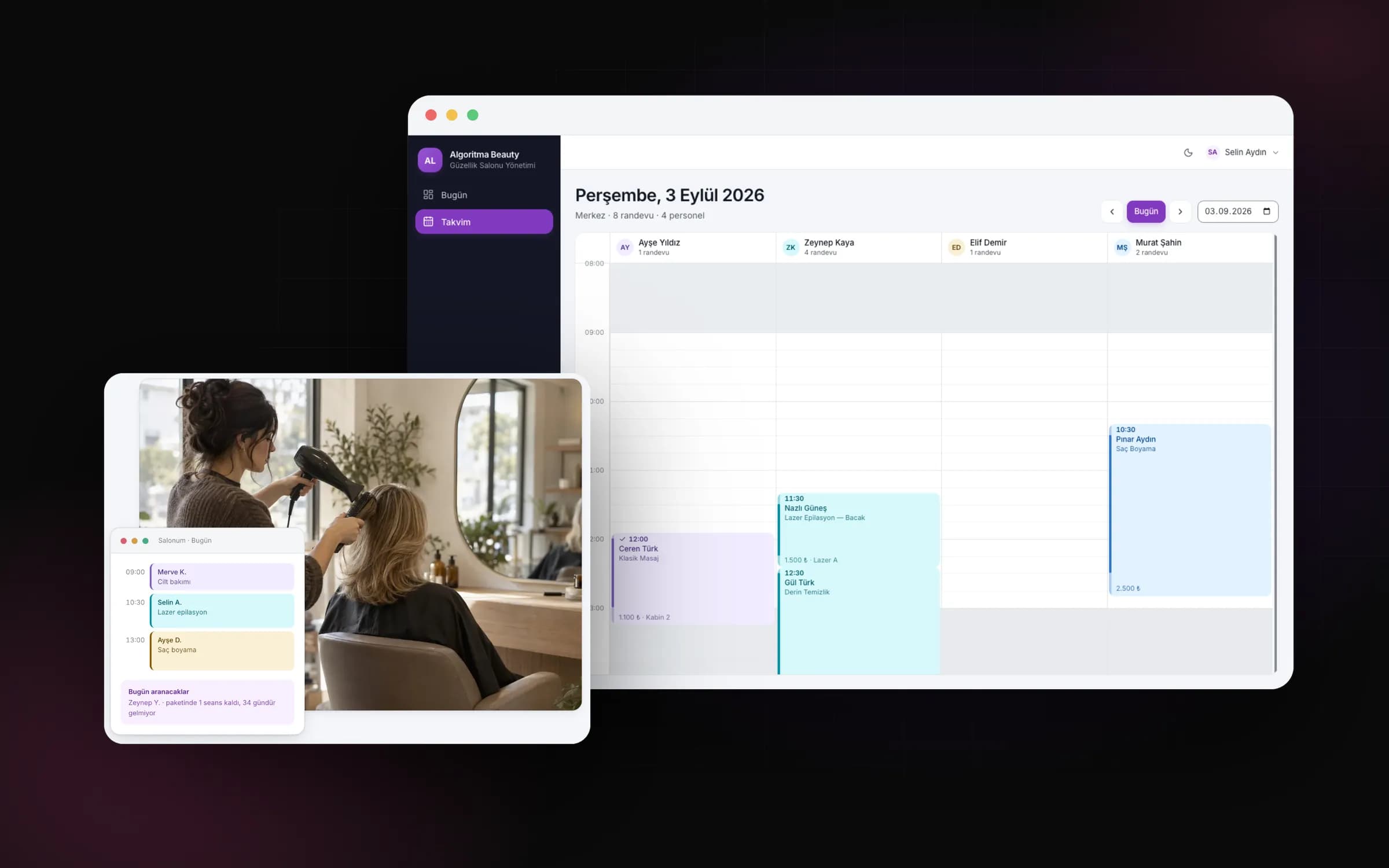
From appointments to payments, from package sessions to stock: the whole salon on one screen.
Booking a salon appointment involves more than setting aside a time. The customer's remaining package sessions, the specialist, the room and payment after the service all belong to the same job. The project began with these details scattered across notebooks, separate payment slips and remembered session counts. We treated the workflow as a chain of records running from the appointment to the end of the day. Daily tasks shaped the panel before the number of screens did. The product has a Turkish interface and is designed for salons in Türkiye.
When a customer calls, reception needs the calendar, the specialist needs the history, and the person taking payment needs the outstanding balance. We placed the shared customer record at the centre of these handovers. Visits, packages and payments are linked, while staff responsibilities remain distinct. Showing available times and records needing attention in the daily panel connects record keeping with choosing the next task. You can plan the day using related records rather than gathering information about the same customer from separate lists.
One panel does not mean every employee performs the same actions. Role permissions, individual additions and removals, and the company's enabled features are evaluated together. Reception booking an appointment and accounts reviewing a cancelled payment have different responsibilities. We carried this distinction into navigation and server actions. Permissions and company status are refreshed from the database during each request; the available options reflect the employee's responsibilities.
We also chose separate record models for packages and the cash register. A change to package entitlement creates an entry in the session ledger. Cash is calculated from movements linked to an open register session, rather than from the date alone. This lets different activities retain their own rules within the same panel. You can inspect a payment's register link or a package usage entry's appointment link. Reversing entries to correct the history became a shared development approach.
Next.js, TypeScript, PostgreSQL and Prisma form the application's technical foundation, with Auth.js handling sessions. We combined PostgreSQL row-level security policies with application checks to separate salons, rather than relying on screen filters alone. Company context is set locally within a transaction and does not carry into the next request through the connection pool. Portal queries narrow this scope further to the customer ID. Company scope in the user table is managed through an application filter.
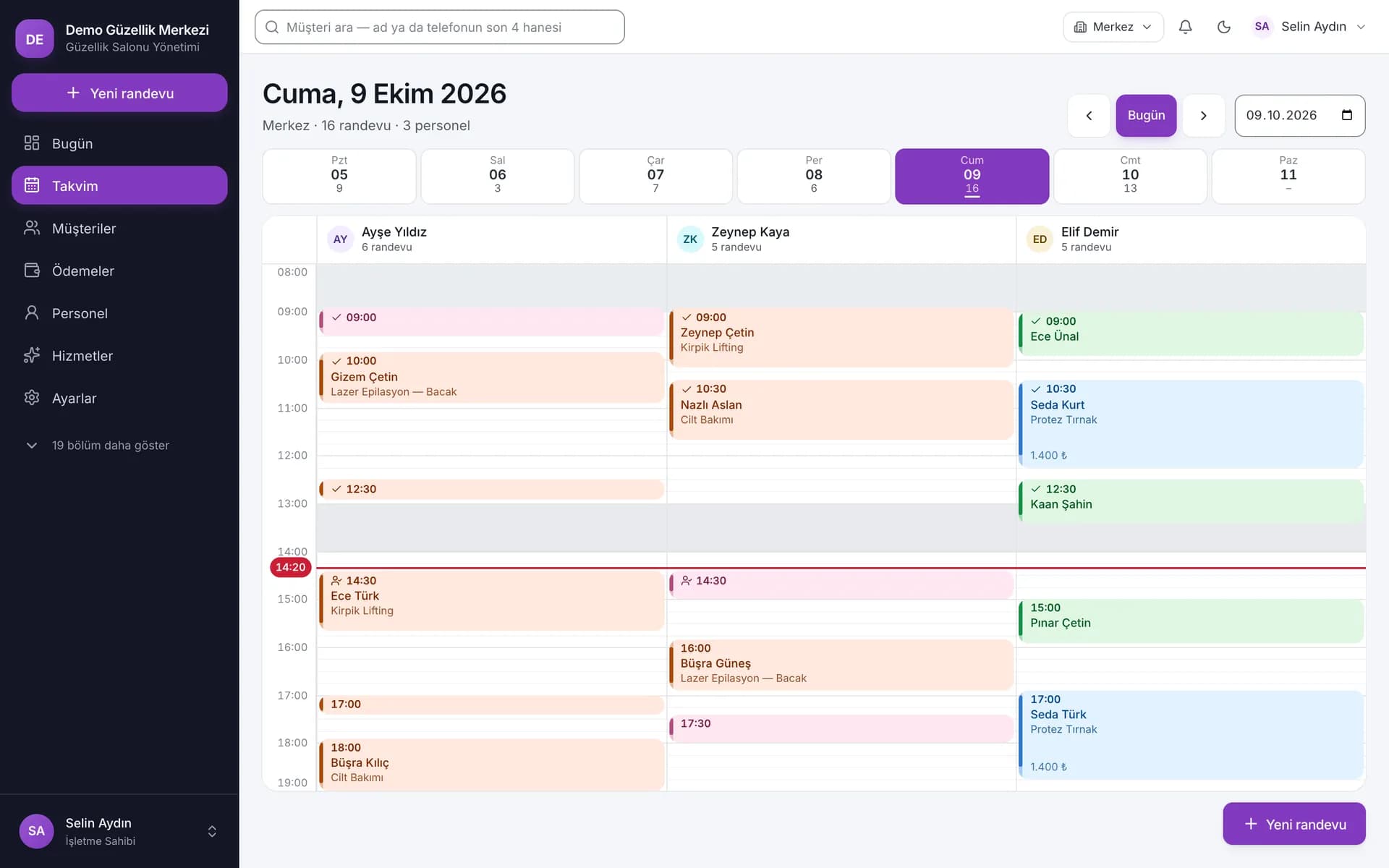
Server actions that change data check the input schema, session, permissions and company status. The audit entry is written in the same database transaction as the change. You can therefore inspect both the new value and who changed it. Development sources include tests for company isolation. Sales ledger tests also cover business scenarios such as rejecting a sale when stock is insufficient. We can assess the architecture against company boundaries and business rules separately.
PostgreSQL RLS policies enforce company scope; application transactions also check company context.
Changes and audit entries share a transaction. Appointment history, session entries and stock movements are recorded separately.
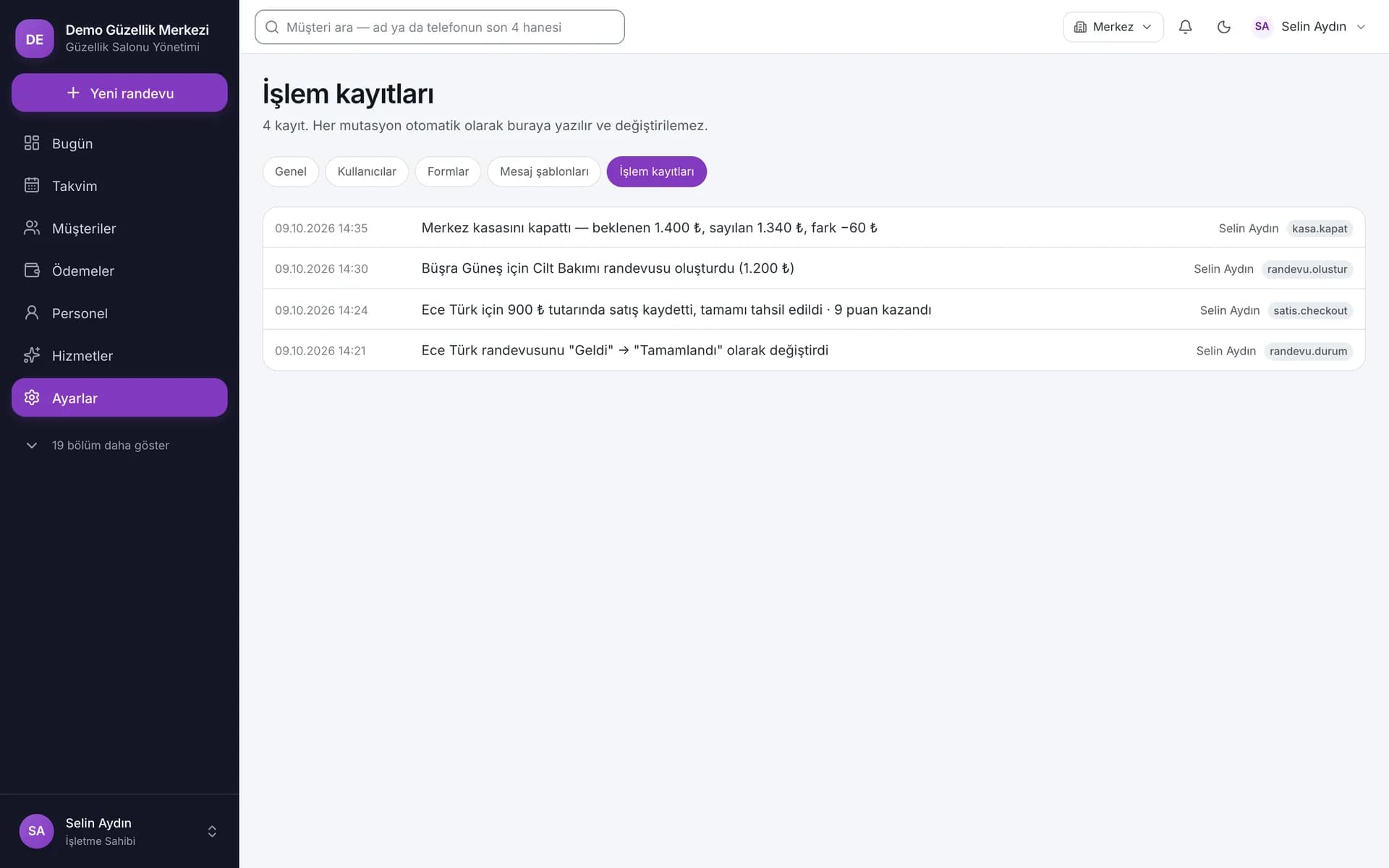
The difficult part of appointment development was deciding whether an apparently empty slot was actually available. The specialist's working hours, breaks and leave, service skills, and room and equipment requirements all contribute to that decision. Service duration and preparation time also enter the calculation. We designed the staff columns in the calendar as the visible side of this availability calculation. Resources feed into the booking engine even without a separate column on screen.
The server flow checks for clashes, while a database constraint also protects against simultaneous bookings. After a conflicting choice, the user receives up to five suitable alternatives. The list depends on available slots, and suggestions can be selected directly. The design decision was to provide a next step after an error message. When you change the time, staff and resource conditions are evaluated together again. Consecutively scheduling several services follows the same approach, with each service's requirements retained in the calculation.
Reducing package entitlement as soon as an appointment is booked would mix planned work with completed work. We linked usage to completion instead. Completing an appointment writes a usage entry to the session ledger; reversing completion creates a refund entry. Keeping the original usage entry makes it possible to trace why entitlement changed. On-screen session counters are updated alongside this ledger. A sold package retains its name and session values as they were at the time of sale.
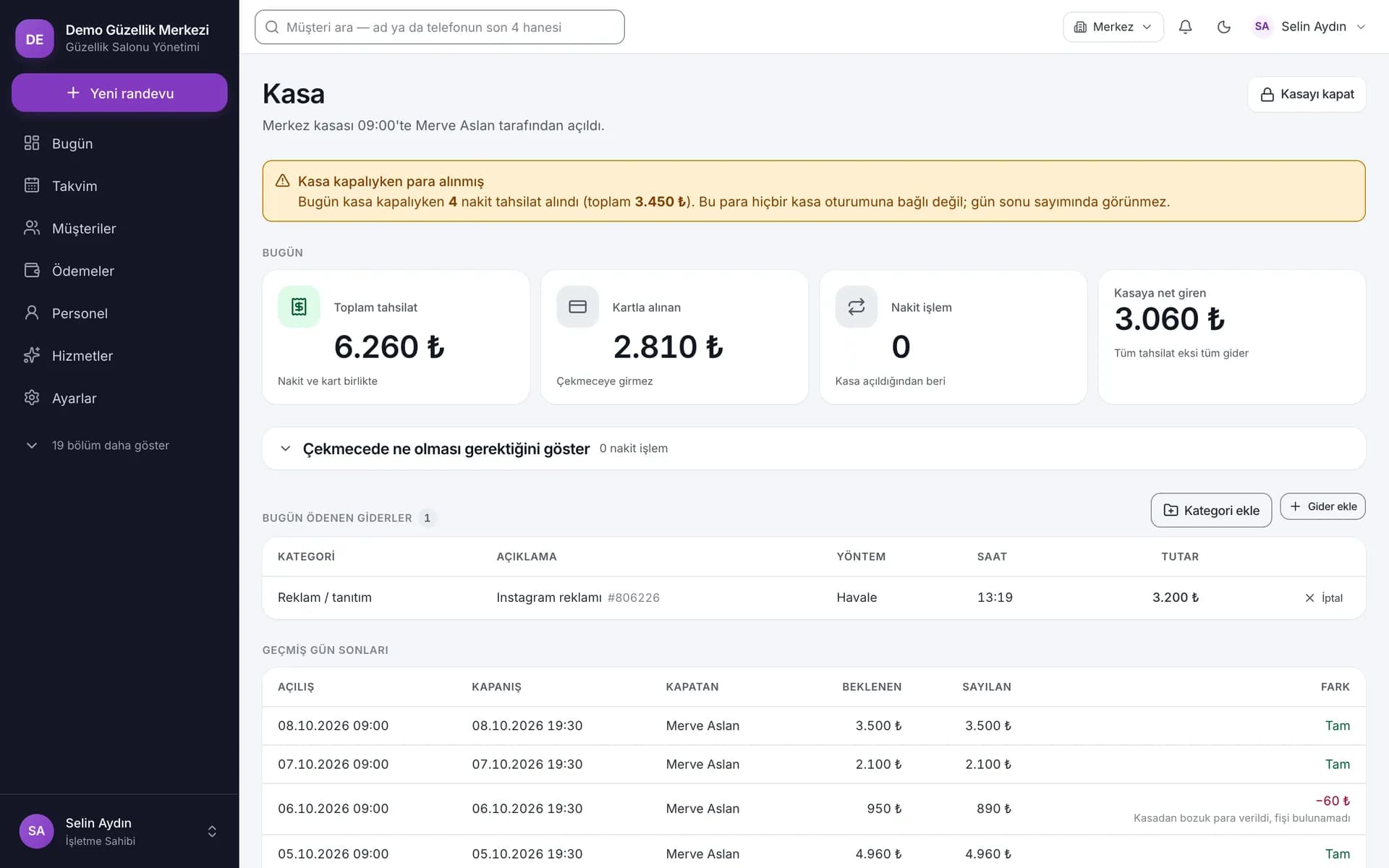
Payment handling prevents the same appointment from being charged twice, and services covered by a package are not charged again. Cash belongs to the open register session; card payments and bank transfers do not increase the cash in the drawer. Once the count is entered in the closing dialogue, the expected amount and difference are shown. An absolute difference of 50 ₺ or more requires an explanation. Freezing the expected amount, count and difference at closing makes the end of day a record in its own right, rather than a total recalculated later.
Completion records session usage; reversal restores entitlement through a reversing entry.
Payment is linked to the service. The cancellation reason and reversing account entry are recorded.
Closing values are retained; an absolute difference of 50 ₺ or more requires an explanation.
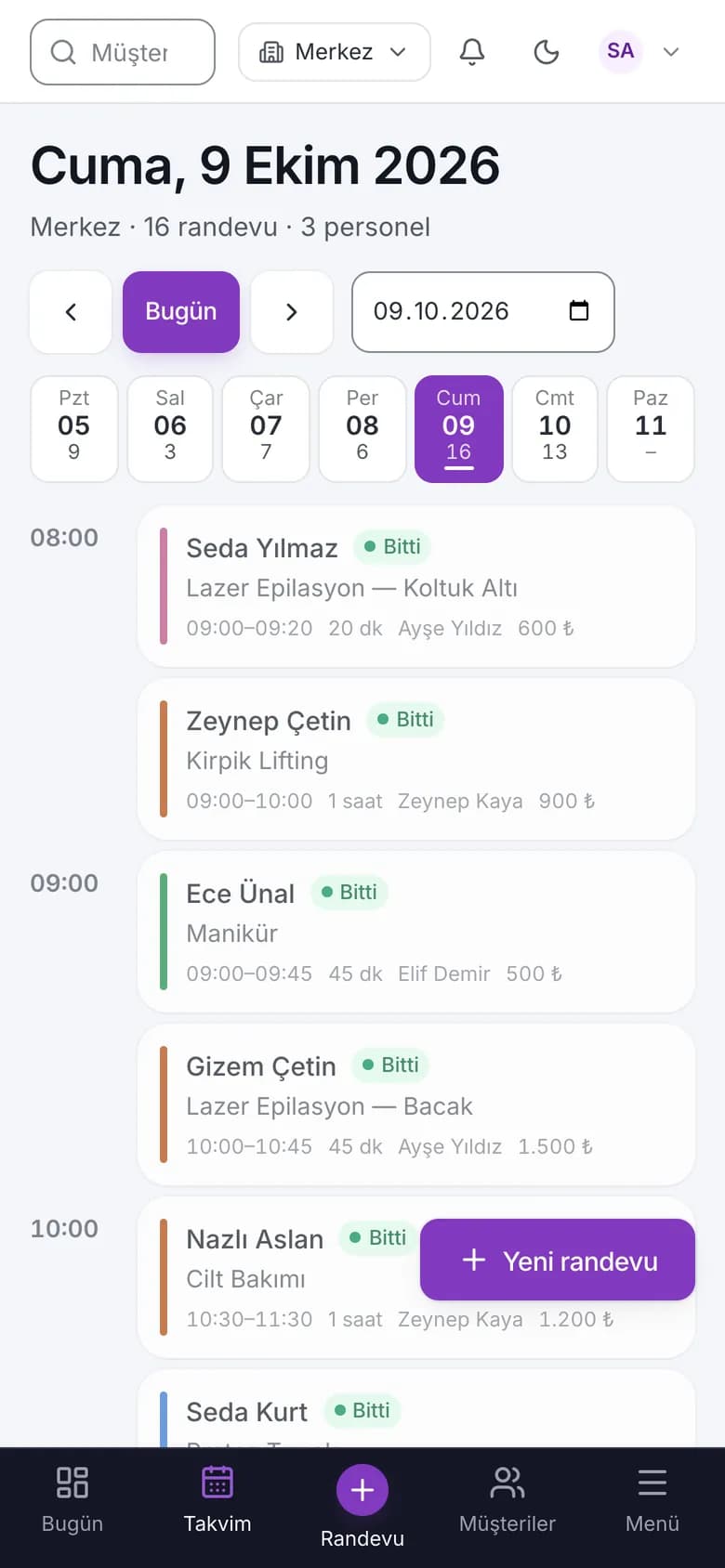
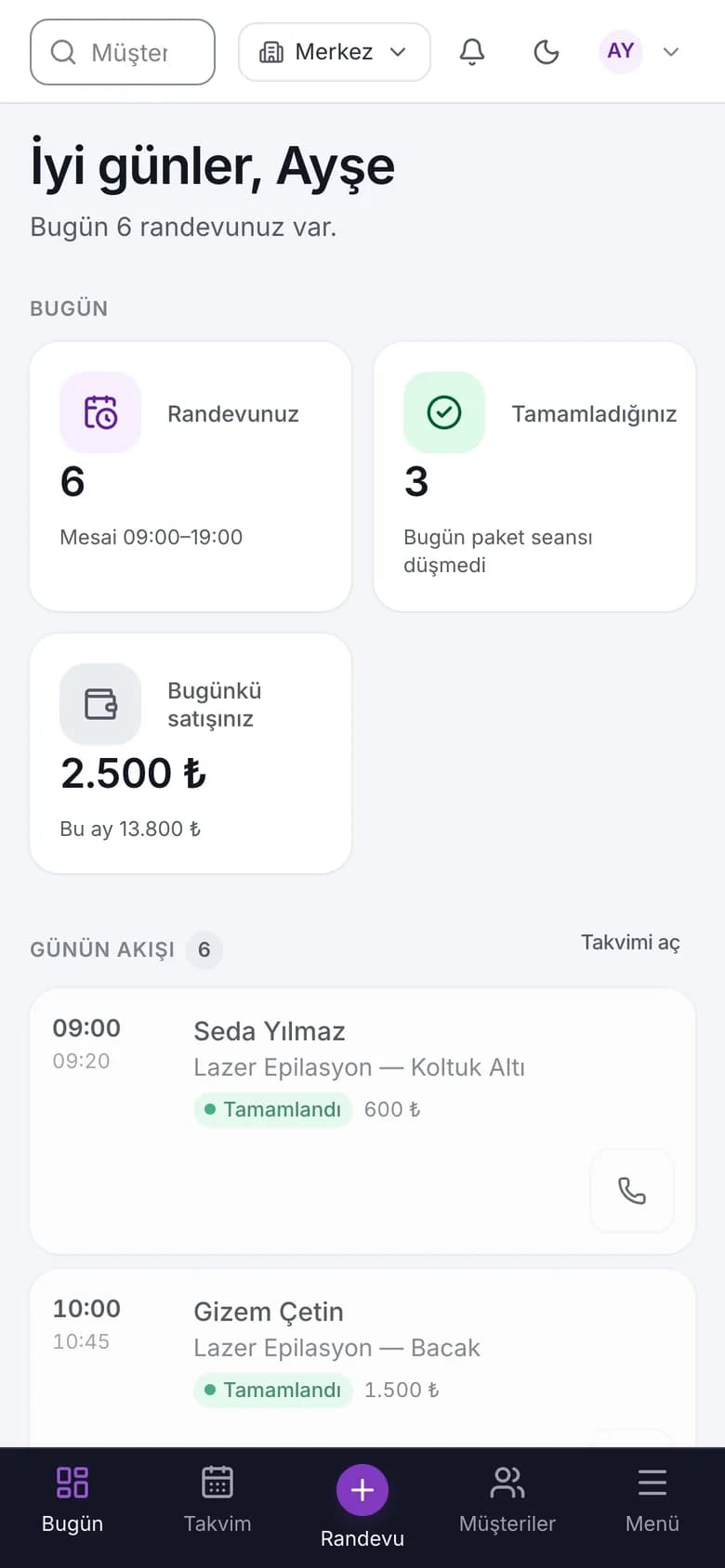
For phones, we chose an agenda view rather than shrinking the desktop calendar. A day shown in specialist columns on desktop is read chronologically on a phone. The bottom navigation provides access to a new appointment; the full menu drawer opens other areas. Forms and cards adapt to the smaller screen. Touch dragging includes a press-and-hold delay to reduce accidental moves. Opening a record and moving an appointment therefore use different gestures.
We linked the specialist's daily view to their staff record. By default, they can follow their own appointments and advance their status; role and individual permissions determine the actions available. You can open the next record in the browser while moving to the treatment room. This arrangement works without a separate app download and keeps appointment status and customer information accessible during the working day. The screens use sample data. The images below show how the agenda and specialist day decisions appear in the interface.
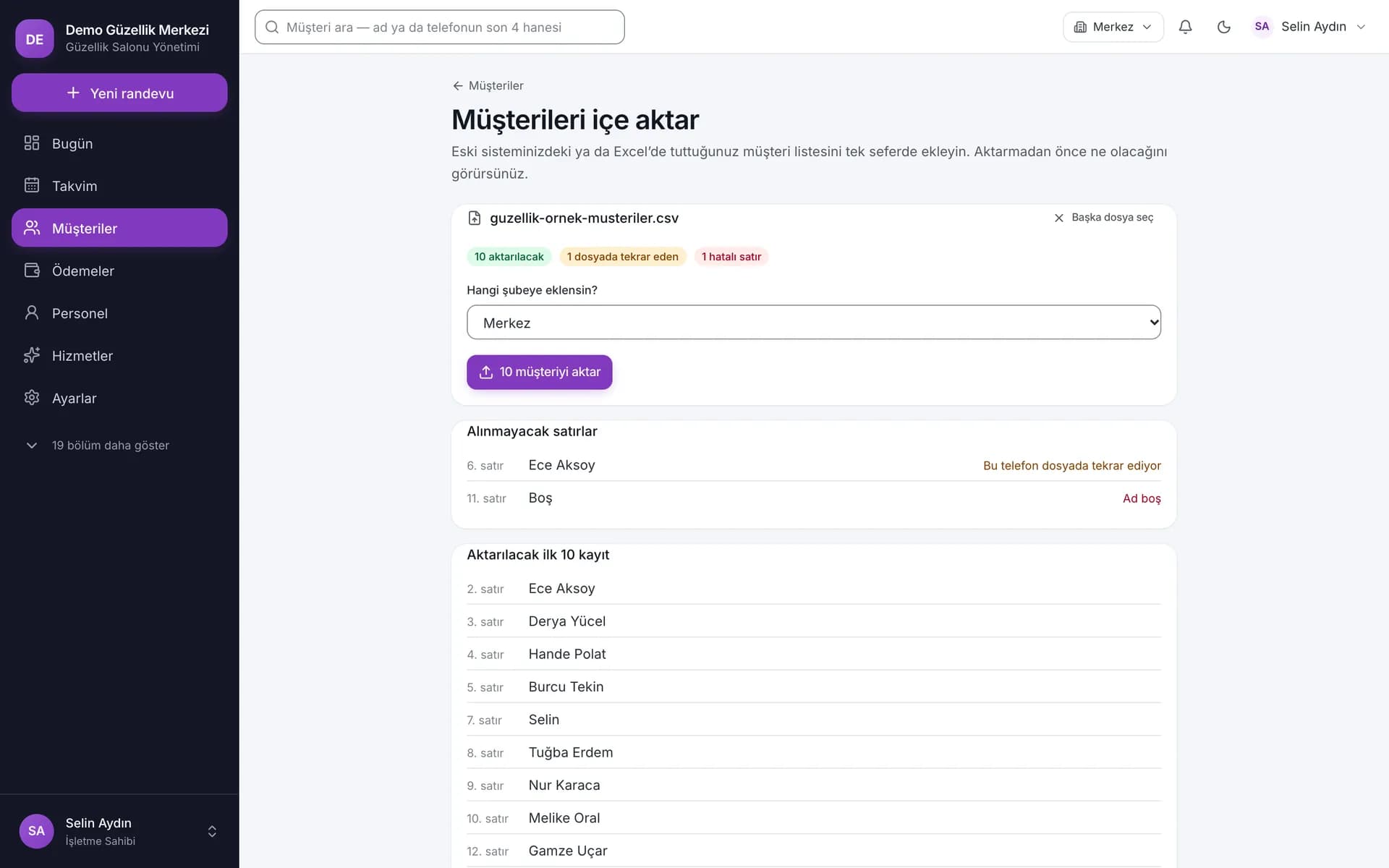
We used a CSV preview to migrate basic customer details. Saving an Excel list as CSV UTF-8 gives the transfer a defined file format. The flow supports up to 5,000 rows. The preview separates duplicates within the file, existing phone numbers, invalid rows and records to be added. Branch selection is part of this assessment. You can review how each row will be handled before importing; the data is checked again during the transfer.
Importing the customer list and setting up the working arrangements are separate steps. Service durations, required resources, staff skills and working hours feed the availability calculation. We connected the initial assessment to a sample flow from customer record to appointment, completion, payment and register closing. Migration of past appointments, financial records and session history is discussed separately. The basic customer preview makes it clear which records are ready and which areas need further consideration.
Save the basic customer list as CSV UTF-8 and select the destination branch.
The preview separates duplicates and errors; the import checks the data again.
The Beauty Salon Management System is in live use. This case study explains our development approach through appointment availability, session entries, register sessions and company scope. Turning records such as remaining package entitlement, overdue visits and pending online requests into daily tasks continues the same approach. Each follow-up row shows why it needs attention, and the outcome of the conversation is marked in the panel. When a prepared message opens in an external app, you retain control over reviewing and sending it.
We can assess the next scope together through your salon's daily tasks. Enabled company features determine the available areas; team roles and branch arrangements guide that choice. When discussing a new need, we examine where its record originates, which action changes it and how its history can be traced. The product page provides more detail on screens and usage. Sharing your appointment, package and closing workflow helps us connect the next development decision to a concrete working scenario.
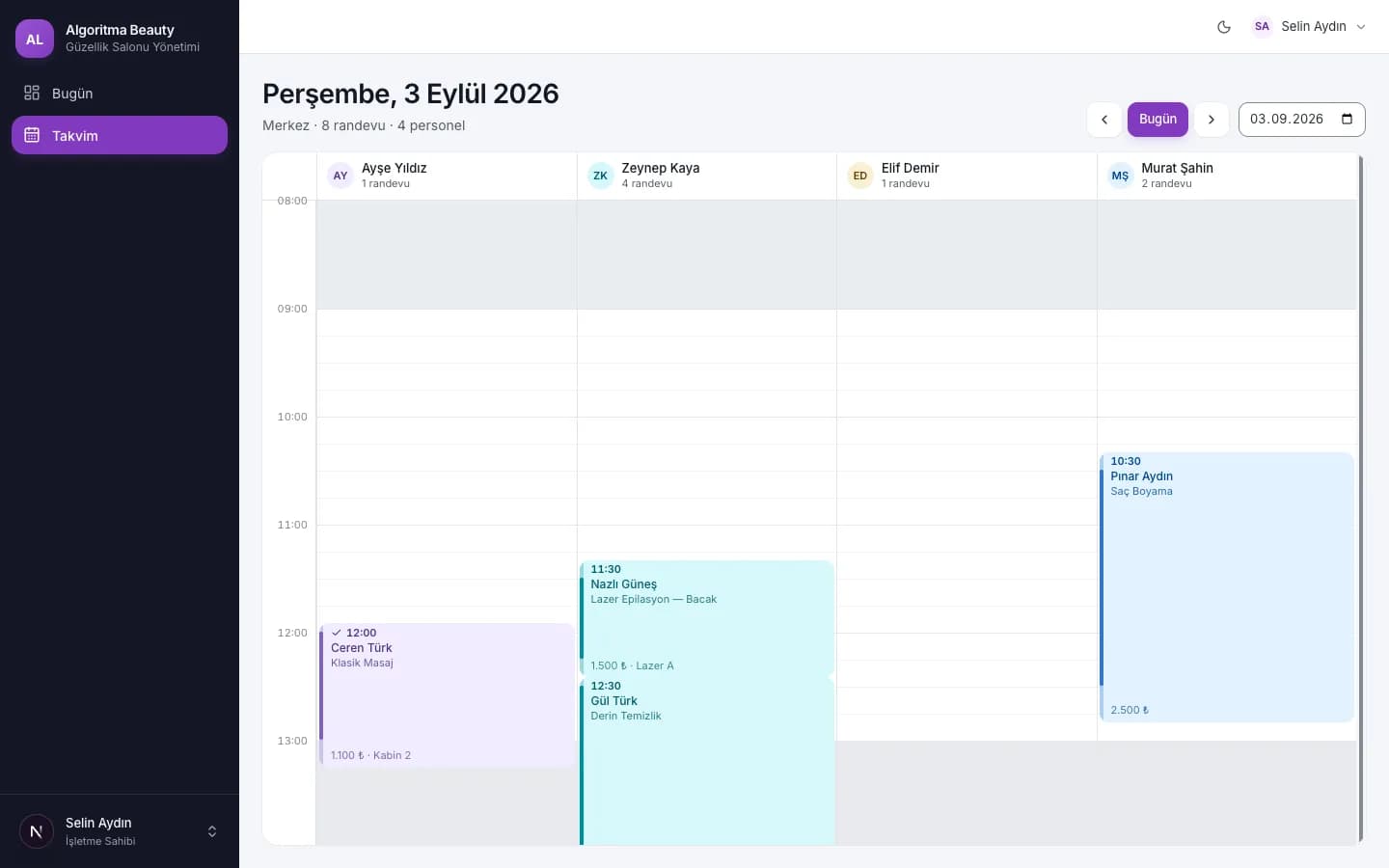
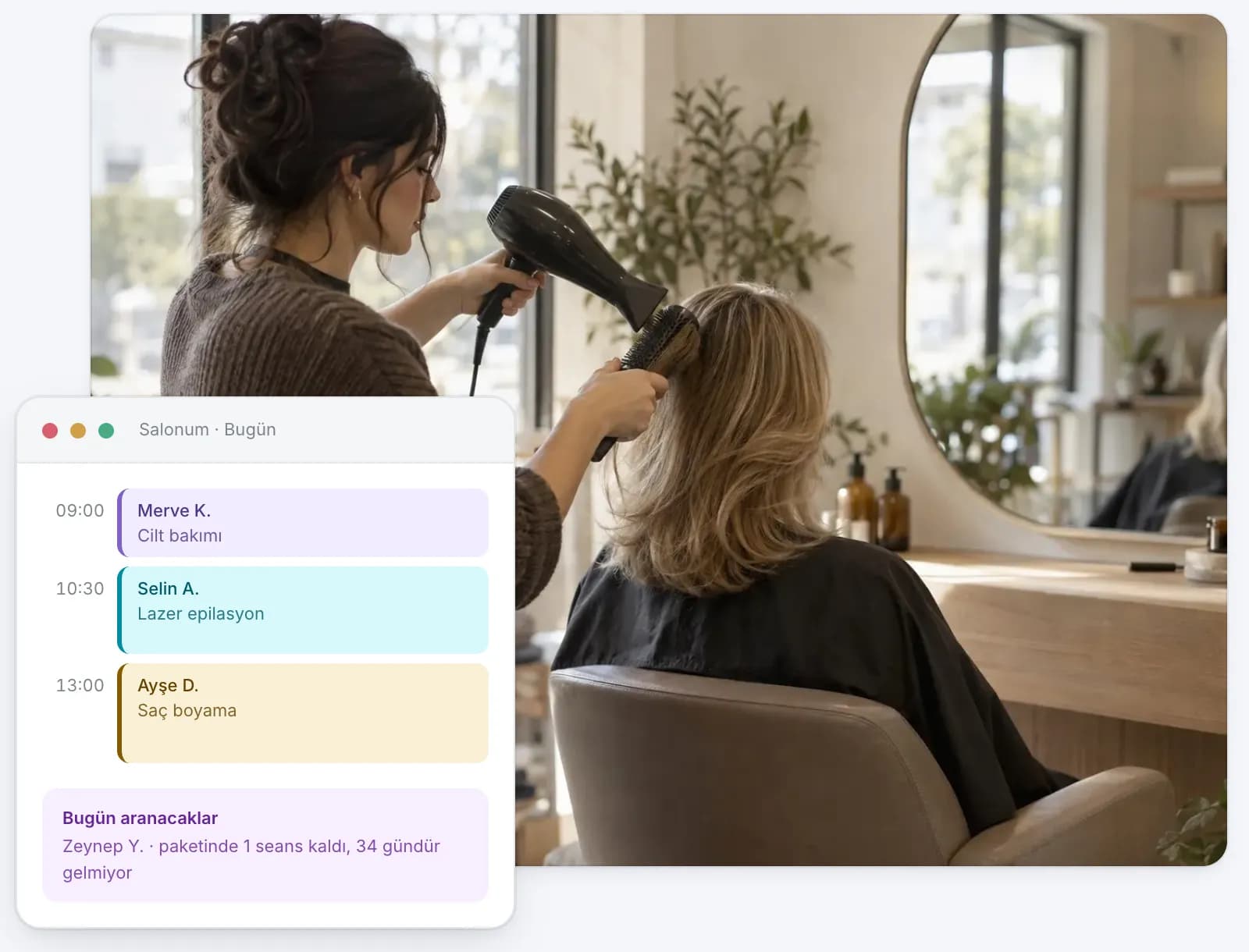
We treated these records as different steps of the same service. They are connected through a shared customer record, while appointment planning, completed sessions and payment retain their own rules.
Company context is set locally within a database transaction. PostgreSQL row-level security and application checks work together; portal queries are narrowed further to the customer ID.
We linked usage to completed appointments. Reversal creates a refund entry instead of deleting the original movement. On-screen counters are updated alongside the ledger.
The flow produces up to five suitable alternatives. The user can select a suggestion; the list remains empty if no suitable slot is found. Staff and resource conditions contribute together to availability.
The session model traces which open register a cash movement belongs to. The count, expected amount and difference are retained at closing; an absolute difference of 50 ₺ or more requires an explanation.
It shows duplicates, existing phone numbers, invalid rows and rows to be added in the basic customer list. You can assess them before import; the transfer checks the data again.
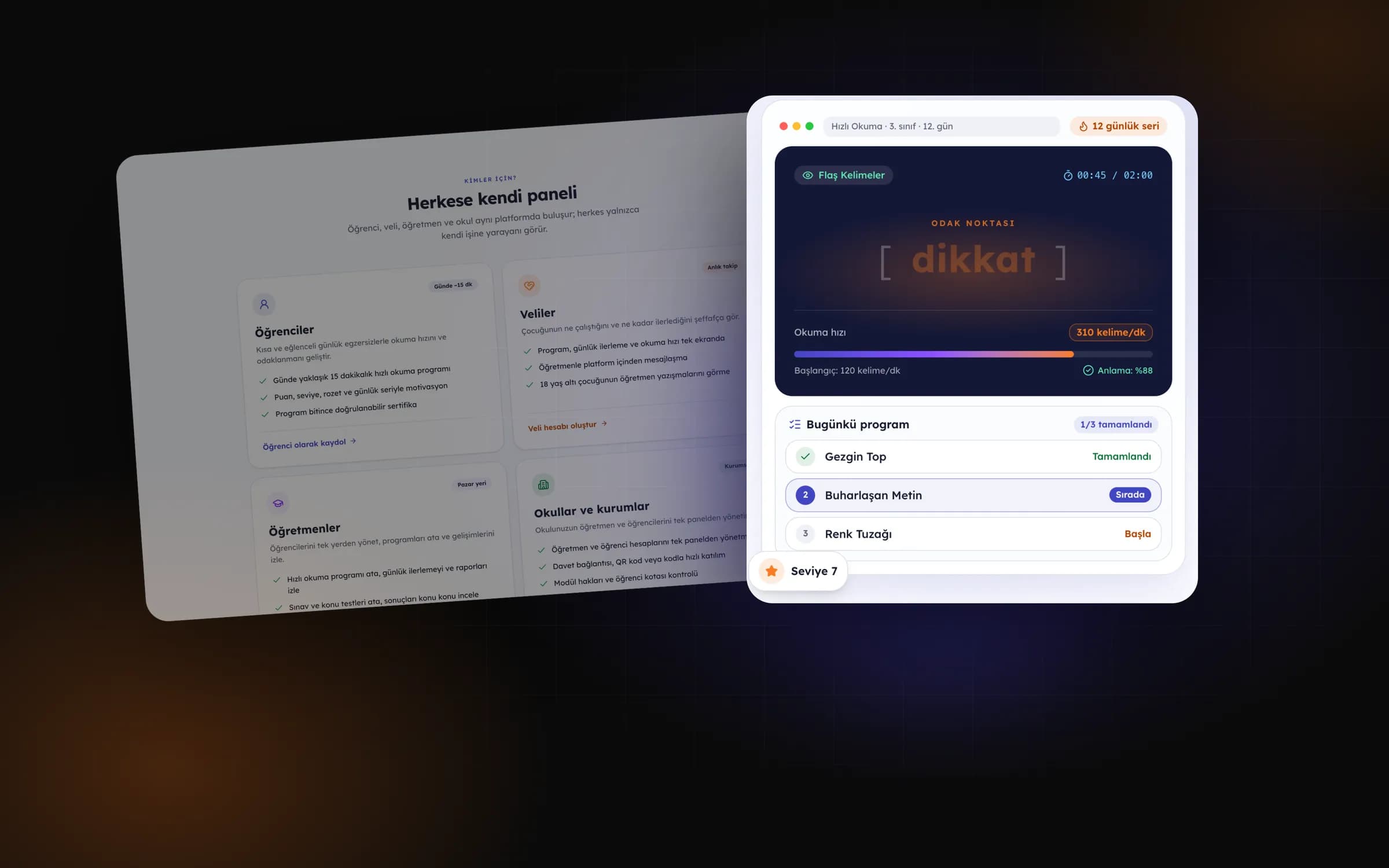
Read faster, understand better: speed reading, focus training and lessons on one platform.

Gym management software that spots members drifting away before their membership ends.
Share your record requirements between appointments, sessions and payments; we can discuss the next development decision through your daily tasks.
Start Your Project